Using Cut and Paste
You can use the Cut, Copy, and Paste options from the Edit menu to move or copy material within a part or between different parts.
To insert note events at the project cursor position without affecting existing notes, select .
To insert note events at the project cursor position, move, and if necessary split the existing note events to make room for the pasted notes, select .
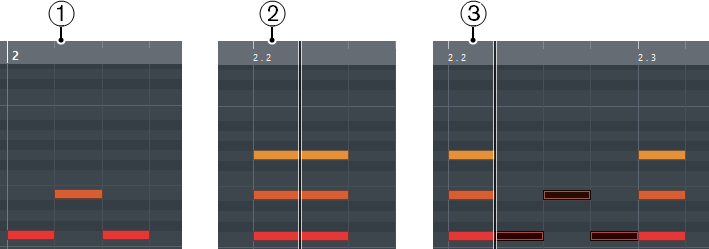
Data on clipboard
Cursor position
Pasted data at cursor position