
Renaming Events
Procedure
Do one of the following:
-
Select the events, select , and select one of the renaming options.
-
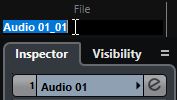
Select the events and type in a new name in the File field on the info line.
-
Change the track name, hold down a modifier key, and press Return to rename all events after the track.
-
Use the Rename Events from List dialog to rename parts and events that are selected in the Project window.