
Creating Volume Databases
Procedure
-
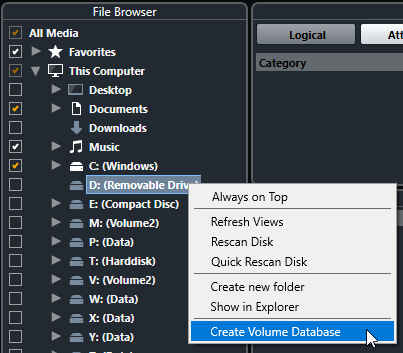
In the File Browser section, right-click the external storage medium, drive, or partition of your computer system, and select Create Volume Database.
 Important
Select the topmost directory level for this. You cannot create a database file for a lower-level folder.
NoteIf you create a volume database on a network drive, multiple users can access it. This can lead to write conflicts, as only one user at a time can write to the database.
Result
The file information for this drive is written into a new database file. Volume databases are indicated by the symbol  to the left of the drive name.
Note
If the drive contains a large amount of data, this process may take some time.
Volume databases are automatically mounted when Nuendo is launched. They are shown in the File Browser section, and their data can be viewed and edited in the Results list.